EducateIT Raptor

The right information. At the right moment.

Citrix, Azure Virtual Desktop, Windows 365 and local Windows PCs: one shared workspace for your support team.
Calculate price
EducateIT / Raptor
Raptor

The right information. At the right moment.

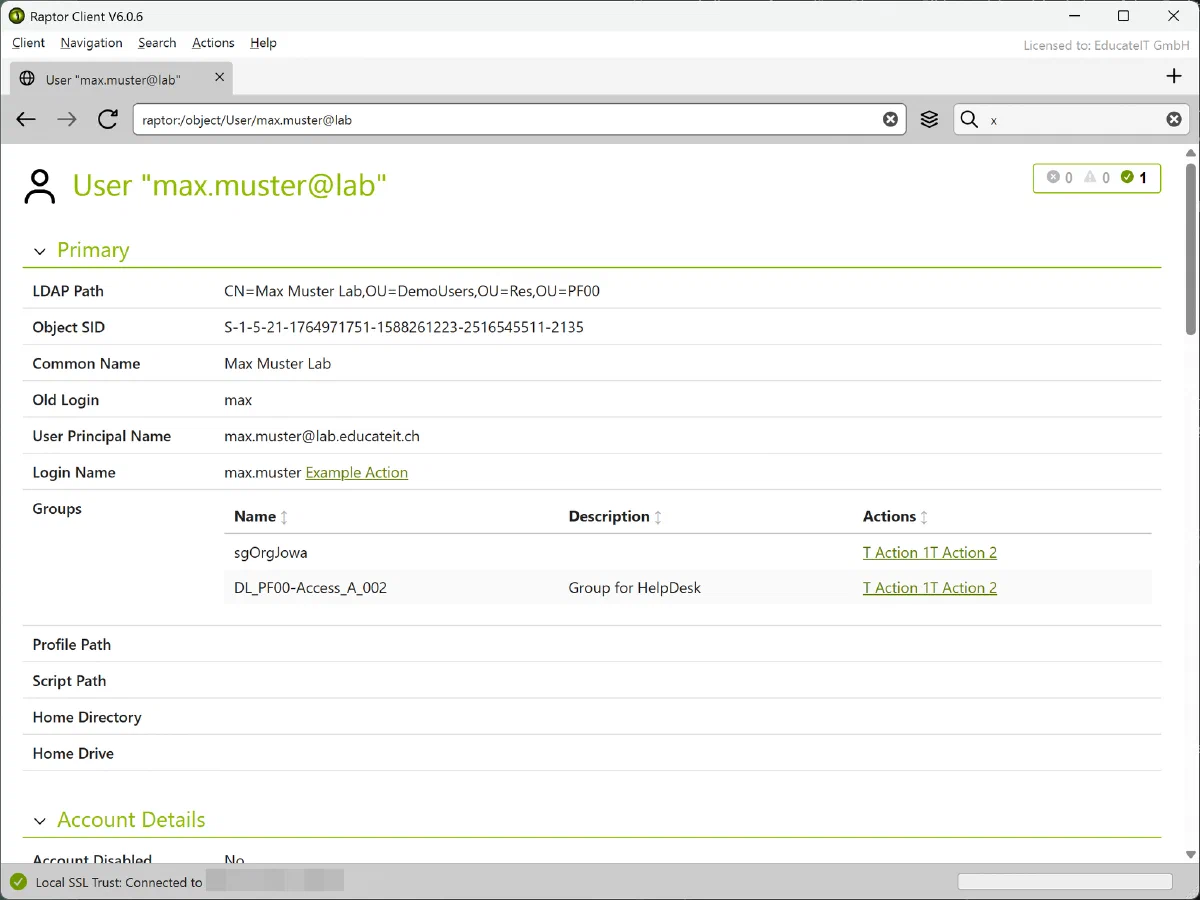
Raptor brings information about users, computers, sessions and applications together on a single object page. Whether you use Citrix, Microsoft Azure Virtual Desktop, Windows 365 Cloud PCs or local Windows PCs, your support team can see the connections in one place.

The appropriate integrations combine data from your existing systems. This helps your team understand mixed environments and narrow down problems. The modular system scales from individual sites to large organisations.

What Raptor does for you

Everything in one view

Users, computers and sessions from different environments appear on a shared object page. Your support team sees the connections without constantly switching tools.

Rules that help you diagnose

Configurable rules assess object values and provide an initial indication of potential problems. You decide which findings matter to your operation.

Include local workstations

Traditional Windows PCs and laptops are part of the picture too. Session Monitor and Process Monitor bring their sessions and processes into Raptor, separately or together.

Answers in seconds

Search and object details remain responsive, including in large environments. The information your team needs is quickly at hand.

Act on what you see

Launch suitable actions from an object, an individual value or a table row. Available actions depend on the integration and your permissions.

Open to your data

Add further data sources, your own applications and object types through interfaces, scripts or files. Raptor adapts to your environment.

Precise access control

Define who can see each object. Visibility in Raptor can be configured independently of permissions in the underlying network.

Supported environments and data sources

Raptor combines information from the following environments and data sources. The required integrations are configured to match your infrastructure:

  • Microsoft Azure Virtual Desktop: Host pools, session hosts and user sessions from your Azure environment.
  • Windows 365 Cloud PCs: Cloud PC assignments and status information linked to the relevant users and computers. Optional data includes Intune, provisioning, network health and audit events.
  • Microsoft Remote Desktop Services (RDS): Session and process information from your Windows session hosts.
  • Citrix on premises and in the cloud: Virtual desktop, application and session data from existing Citrix environments, including XenApp/XenDesktop and Citrix Cloud.
  • Active Directory: Users, computers and related directory information as a shared reference for support work.
  • Windows PCs, laptops and other virtual Windows systems: Local workstations (fat clients) and virtual machines can contribute session and process information through Session Monitor and/or Process Monitor.
  • Your own data sources: Add information from applications, scripts and files, as well as directory sizes and quotas. Additional object types can be adapted to your requirements.

Raptor Server collects data centrally; Raptor Client presents it to your support team. The base package also includes Actions for recurring tasks and Assistant for guided workflows. Add Session Monitor and Process Monitor as needed. Explore bundles and combinations .

Support through a move from Citrix to a new platform

Are you moving away from Citrix, taking desktops to the Microsoft cloud or running several solutions in parallel? Raptor connects information from your existing and new environments. Your support team keeps users, computers and sessions in view through a familiar workspace.

Whether your target is Azure Virtual Desktop, Windows 365 Cloud PCs, RDS or local Windows workstations, we configure the appropriate integrations. Agent-based integration and custom interfaces can connect other virtual Windows environments. Raptor supports your team throughout a gradual platform transition and in day-to-day operation afterwards.

Documentation and downloads

PDF documents

Raptor

Historical product overview from 2018. See the product page and online manuals for current capabilities.

EducateIT / Request a demo

See what your team can achieve.

Let us walk you through the software with your requirements in mind. A personal demonstration, without obligation, with time for your questions.